
Habit Tracker Template
Your habits, your month, one clean grid. Print it or open it in Excel or Google Sheets.
Your habits (up to 6)
Floor and ceiling are optional. The floor is the smallest version that still counts; the ceiling is your best day.
Tip: print landscape. The grid stops at six habits on purpose; a crowded tracker is a doomed tracker.
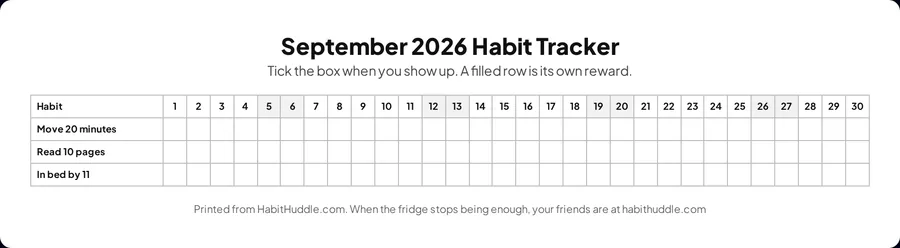
The spreadsheet has the same grid with a Done count and a percentage per habit that fill in as you type an x. For Google Sheets, upload the file to Drive and open it; the formulas carry over.
Printed from HabitHuddle.com. When the fridge stops being enough, your friends are at habithuddle.com
How to make your habit tracker
Type up to six habits, pick the month, and the grid above redraws with every date and the weekends shaded.
Give a habit a floor and a ceiling if you want them on the sheet. The floor is the smallest version that still fully counts, and it is what the tick means. The ceiling is your best-day version; star the days you burst through it.
Print it landscape on one page. Stick it on the fridge, the bathroom mirror, or the inside of your laptop lid.
Prefer a spreadsheet? Download the same grid as an Excel file. It opens in Google Sheets too, with a Done count and a percentage per habit that fill in as you type an x.
Tick the box the moment the habit is done. The tick is a small reward, and a full row is a big one.
Why the simplest template wins
Trackers with mood columns, water charts, and gratitude boxes look beautiful in week one and get abandoned in week two. One box per habit per day survives.
Five habits or fewer. A crowded grid turns into a to-do list, and to-do lists are what you were trying to escape.
Paper cannot remind you or show a friend you showed up. Plenty of people run both: the grid on the fridge, and a huddle of friends cheering the daily checkin.
Questions people ask
How do I use a printable habit tracker?
Put it where the habit happens: fridge, desk, bathroom mirror. Tick the box the moment you finish, because the tick itself is a tiny reward. Track 5 habits or fewer; a crowded grid is the fastest way to abandon one.
What should a habit tracker template include?
Habit names, one box per day with real dates, and nothing else. Fancy templates with mood columns and water charts look great and die by week two. The grid works because a filled row is satisfying to look at.
How do I use the habit tracker in Excel or Google Sheets?
Click Download for Excel or Google Sheets. Excel opens the file directly. For Google Sheets, upload it to Google Drive and open it. Type an x in a box when the day is done; the Done column, the percentage, and the days-done row at the bottom update on their own.
Is paper or an app better for tracking habits?
Paper wins on friction: no phone, no notifications, tick and done. Apps win on memory, reminders, and other people seeing you show up. Plenty of people do both: paper on the fridge, and a huddle of friends cheering the daily checkin.
More free tools
All toolsWeekly Habit Tracker
One week per page with big boxes, real dates or undated, floor and ceiling per habit.
Group Name Generator
Names for gym crews, challenge teams, book clubs, and sober circles.
Habit Idea Generator
150 daily habits, each with a bad-day floor and a good-day ceiling. Shuffle, filter, shortlist.
A tool shows you the math. Friends make it happen.
Habit Huddle turns one small habit into a daily checkin your friends can cheer for. Free to start, solo or with your people.
Start Free