
10 Best Habit Tracker Templates: Notion, Sheets, PDF (2026)
Free habit tracker templates for Notion, Google Sheets, Excel, Canva, and printable PDF, plus when a template stops working and what to switch to.

📺 Related Video: How to Build a Habit Tracker in Notion from Scratch
Video by: Thomas Frank Explains · Watch on YouTube
You set up a habit tracking template on Sunday, check off a few boxes on Monday, miss Tuesday, and by Friday the file is buried under everything else. The problem is usually not discipline. The problem is choosing a tracker that fights your natural way of working.
Here is the short answer. If you live in Notion, use a Notion habit database. If you think in spreadsheets, grab a free Google Sheets tracker. If you want paper, print a PDF grid and put it on the fridge. And if your real problem is that you quietly stop tracking after week two, no template will fix that alone; you need other people to see your checkins, which is what a social tracker like Habit Huddle is for.
This guide covers the 10 best habit tracking templates and systems for 2026, sorted by how you actually work: solo versus social, digital versus printable, data-heavy versus visual. Pick the format that matches your operating style and your tracker has a real chance of surviving past the first week.
Quick comparison
| Template / Tool | Format | Price | Best for |
|---|---|---|---|
| Habit Huddle | Web, iOS, Android, Discord | Free (1 active habit), paid plans optional | Tracking habits with friends |
| Notion habit templates | Notion database | Free templates | People who already live in Notion |
| Google Sheets trackers | Spreadsheet | Free | Data lovers, custom formulas |
| Printable PDF trackers | Paper | Free | Visibility, no-screen tracking |
| Microsoft Create templates | Excel, Word, printable | Free | Office-first users |
| ClickUp habit template | Task manager | Free tier | Task-driven operators |
| Asana habit tracker | Task manager | Free tier | Tracking habits inside work tools |
| Obsidian Habit Tracker plugin | Local markdown | Free | Local-first knowledge workers |
| Coda Habit Tracker 1.0 | Doc-database hybrid | Free tier | Doc and database hybrids |
| Trello habit boards | Kanban board | Free tier | Lightweight visual boards |
How to choose a habit tracking template

Three questions sort this out faster than any feature list.
Solo or social? Most templates assume you will track alone. That works if you are self-accountable. If your history says otherwise, missed week two, deleted the file, started over in a new tool, then the format matters less than whether your daily wins land in front of anyone. Choose a shared system before a prettier grid.
Screen or paper? A printable tracker on the fridge gets seen ten times a day without opening an app. A digital tracker follows you everywhere and never runs out of rows. People who work at a screen all day often do better with paper for exactly that reason: it is a break from the screen, not another tab.
Data or visual? Spreadsheet people want completion rates and formulas. Visual people want a row of filled boxes they can color in. Neither is better. Pick the one you will actually look at, because a tracker you stop reviewing is just a diary of your first two weeks.
One more filter before the list: track fewer habits than you think you should. Nearly every abandoned template we see died of ambition, fifteen rows on day one and zero by day twenty. Start with one to three. If you need help deciding which ones, this list of good daily habits to track is a sane starting point.
1. Habit Huddle: best when the problem is quitting, not logging
Full disclosure: Habit Huddle is our app, so judge the reasoning rather than the ranking. It earns the top spot for one specific reader: the person who has already tried three templates from this list and abandoned each one quietly, because nobody was watching.
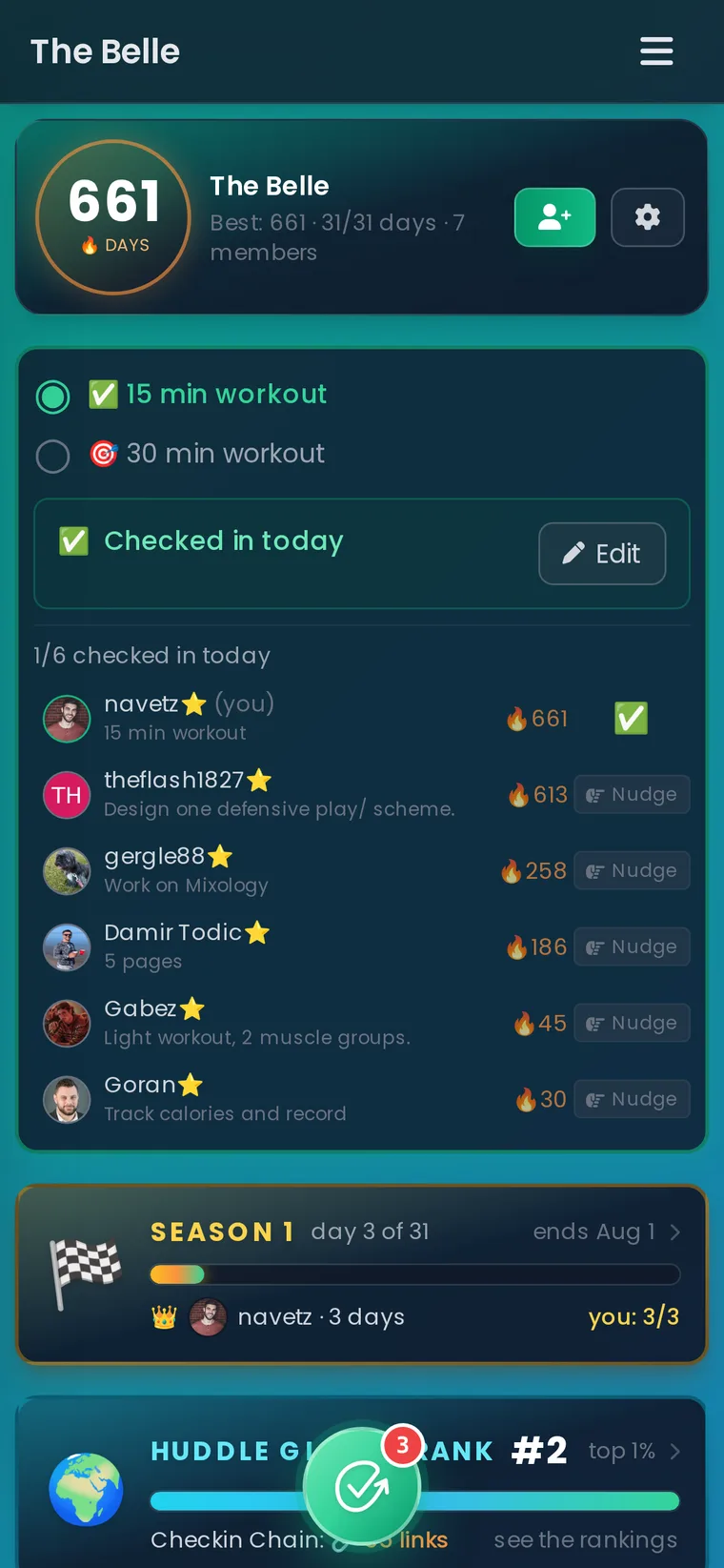
Instead of a private grid, you put a habit in a huddle, a small group of friends who see each other's daily checkins and cheer them. Each huddle tracks your personal streak and the Checkin Chain everyone builds together, so showing up stops being invisible.
Two design choices matter for template refugees. First, every habit has a Floor, the smallest daily action that fully counts, and a Ceiling, the stretch version. If your goal was a full workout but all you managed was ten minutes of movement, you step on the floor and the day still counts. Paper grids give you a binary box; this gives you a way to survive bad days. Second, checkins work where your people already are, on the web, in the mobile apps, or inside a Discord server through the bot.
The honest trade-offs: the free plan includes one active habit, so unlimited solo tracking is cheaper in a spreadsheet, and if you want a purely private tracker with nobody watching, this is the wrong tool. There is no giant multi-habit dashboard either. Paid plans add more active habits and flexibility perks; current pricing lives in the app.
2. Notion habit tracking templates: best for Notion residents
If your notes, projects, and reading list already live in Notion, a separate habit app is one app too many. The Notion template gallery has hundreds of free habit trackers, from simple daily checkbox databases to dashboards with streak counters and monthly rollups.
The strength is integration: your habits sit next to your goals and journal, and you can relate a habit database to anything else in your workspace. The weakness is fiddliness. Notion habit tracking means opening Notion, finding the page, and clicking a checkbox that triggers no reminder and tells no one. Heavy templates with progress bars and formulas also get slow on mobile. Pick the simplest template that shows a week at a glance, and resist the urge to spend Saturday redesigning the dashboard instead of doing the habit.
3. Google Sheets habit trackers: best for spreadsheet control
A spreadsheet is still the most flexible habit tracker ever invented. Free templates like Spreadsheet Daddy's habit tracker (Google Sheets, Excel, and PDF versions) give you a month grid, completion percentages, and charts without building anything yourself. If you want to start from scratch, a column of dates and a row of habits takes five minutes.
Sheets wins on ownership: no subscription, no lock-in, formulas as deep as you care to go, and conditional formatting that turns your consistency into a visible heat map. It loses on friction. Nothing reminds you, mobile entry is clumsy, and the file is easy to forget once the novelty fades. Spreadsheet trackers work best for people who already open a spreadsheet daily and genuinely enjoy the numbers. If that is not you, look at paper or an app with reminders.
4. Printable PDF habit trackers: best for no-screen visibility
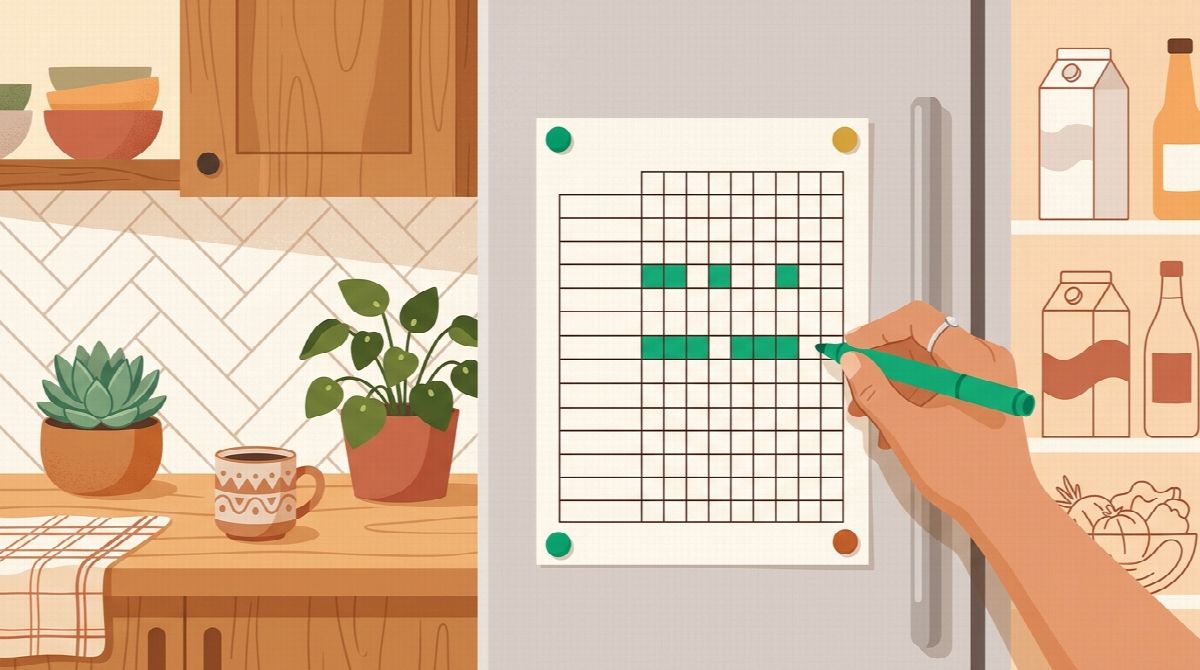
The humble printed grid outperforms fancy software surprisingly often, because it can live where you cannot ignore it. Develop Good Habits maintains a collection of 44 printable habit tracker templates covering daily, weekly, monthly, circular, and color-in designs, all free PDFs.
If you want a printable that looks like yours, Canva's free tracker templates are customizable before you print, and iPad people who annotate PDFs by hand can run any of these grids in a note app like Goodnotes and keep the pen without the paper.
Paper has real advantages: filling a box by hand is more satisfying than a tap, the tracker is visible all day on a fridge or desk, and there is nothing to configure. The trade-offs are just as real. Paper computes nothing, reminds you of nothing, and a lost sheet is lost data. Print next month's page before this one runs out; the gap between sheets is where paper streaks go to die. Pairing a printed grid with one accountability partner who asks about it weekly fixes most of paper's weaknesses for free.
5. Microsoft Create templates: best for Office-first users
If your life runs on Excel and Word, Microsoft Create's tracker templates offer free habit and goal trackers you can use digitally or print. They are plainer than the Notion showpieces, which is honestly a feature: open, type, done.
Excel versions handle formulas and completion stats; Word versions print cleanly. The catch is that these are documents, not systems. There are no reminders, no mobile experience worth using, and no view of anything longer than the sheet in front of you. For a 30 day challenge tracked at a desk, they are perfectly adequate and free.
6. ClickUp habit template: best for task-driven operators
ClickUp's habit tracker template treats habits as recurring tasks with statuses, due dates, and automations. If you already run your work in ClickUp, adding habits there means one system for everything, and recurring task automation means your habit list rebuilds itself daily without setup.
The risk is psychological rather than technical: habits become just more overdue tasks in a work tool, and an overflowing inbox of red "missed" items is demotivating in a way an empty paper box is not. Use it if ClickUp is already your daily home. Do not adopt a full project management platform just to track flossing.
7. Asana habit tracker: best inside a work tool you already have
Same logic as ClickUp: Asana's template gallery includes habit trackers built on recurring tasks, and if your team already lives in Asana, personal habits can ride along at no extra cost. Recurring tasks with due dates give you a daily prompt, and the board view makes a passable weekly grid.
The limits are the same too. Asana measures completion, not streaks, so there is no built-in sense of momentum, and mixing "meditate" into the same inbox as work deliverables makes some people start treating both like chores. Best for people who want exactly one tool open, ever.
You already know you can change.
You just need to take the first step. Habit Huddle helps you build habits around your goals, alongside friends who keep you accountable.
8. Obsidian Habit Tracker plugin: best for local-first knowledge workers
Obsidian users can track habits in plain markdown files with the community Habit Tracker plugin, which renders clickable habit grids inside your notes. Your data stays in local text files you own forever, and habits sit next to your daily notes and journal where you already write.
This is the most private and most durable option on the list: no server, no subscription, files readable in any editor for the next fifty years. It is also the most manual. Setup requires comfort with plugins and a little markdown, there are no reminders unless you add another plugin, and nobody sees your grid but you. For self-directed people who already journal in Obsidian daily, it is a natural fit.
9. Coda Habit Tracker 1.0: best for doc-database hybrids
Coda sits between Notion's flexibility and a spreadsheet's power, and its community Habit Tracker 1.0 template gives you a daily checkin table with automatic streak calculations and charts. Buttons make daily logging one tap, which beats most Notion setups.
Coda's free tier covers personal habit tracking comfortably. The trade-off is ecosystem size: fewer templates, fewer tutorials, and if you do not otherwise use Coda, learning a new tool to track habits is exactly the kind of setup project that replaces the habit itself.
10. Trello habit boards: best for lightweight visual boards
A Trello board with lists like "Today", "Done this week", and one card per habit makes a serviceable visual tracker, and Trello's template gallery has personal productivity boards you can adapt in minutes. Dragging a card to Done is oddly satisfying, and a shared board gives a couple or small team basic mutual visibility.
Trello computes nothing, so streaks and completion rates are on you, and cards need manual resetting each day or a Butler automation to do it. It suits visual thinkers who want the absolute minimum of structure and people who already use Trello for everything else.
When the template stops working

Every template on this list can record a habit. None of them can make you open the file on day 23, and day 23 is where habit tracking actually lives or dies. If you have cycled through printables, spreadsheets, and Notion dashboards and the pattern is always the same, strong start, quiet stop, the missing ingredient is not a better grid. It is witnesses.
That is the case for making your tracker social: put one habit in front of a few people who care whether you show up. Start a huddle on Habit Huddle with a friend or two, set a Floor you can hit even on your worst day, and see what a week of checkins with witnesses feels like. The free plan covers one active habit, which is exactly enough to test whether accountability changes anything. And if you are choosing which habit deserves that slot, habit stacking examples can help you anchor it to a routine you already have.
Whichever format you pick, review it weekly. A template you fill but never read is data entry; tracking progress only changes behavior when you look back at it. And if you decide paper and spreadsheets are not for you after all, our guide to picking an online habit tracker covers the app side of the same decision.
Frequently asked questions
What is the best free habit tracking template?
For spreadsheets, Spreadsheet Daddy's free Google Sheets tracker is hard to beat: month grid, completion stats, and an Excel and PDF version included. For paper, Develop Good Habits' collection of 44 free printable PDFs covers every layout style. Both cost nothing and take under five minutes to start using.
Is there a good printable habit tracker PDF?
Yes. Free printable collections from Develop Good Habits and Microsoft Create include daily, weekly, monthly, and color-in circular designs. Print one per month, put it somewhere you look every day, and fill boxes by hand. Print the next month's sheet before the current one ends so there is no gap.
How do I make a habit tracker in Google Sheets?
Put dates down the first column and habit names across the top row, then mark an X or a 1 in each cell you complete. Add a completion formula like =COUNTIF(range,1)/COUNTA(range) to see your percentage, and use conditional formatting to color completed cells so consistency becomes visible at a glance.
How many habits should I track at once?
One to three. The most common way habit templates fail is ambition: fifteen rows on day one, zero by day twenty. Start with the single habit that matters most, keep it until it feels automatic, then add the next one.
When should I switch from a template to a habit tracker app?
Switch when the template stops getting opened, not before. If you consistently fill a paper or spreadsheet tracker, keep it. If you keep abandoning templates after a strong start, the fix is usually accountability rather than software: either recruit a friend to review your grid weekly, or move the habit somewhere people see your checkins, like a huddle.
Ready to Build Habits With Friends?
Stop failing alone. Join thousands using the #1 habit tracker with friends for real accountability and lasting results.
Prefer mobile? App Store · Google Play
Related Guides
More Habit Huddle articles on building habits with accountability.

HabitShare Alternatives: 6 Apps for Tracking Habits With Friends (2026)
Looking for a HabitShare alternative? Six social habit trackers compared by model, price, platforms, and what happens on a missed day, plus how to switch wit...

What to Do When You Miss a Workout Day: The 5-Step Comeback Plan
Missed a workout day? What one miss does to your body and habit, according to research, plus a five-step plan for the next 24 hours, when to make it up, and...

Habit Streak App With Friends: 7 Apps Compared (2026)
Seven habit streak apps with friends compared: Habit Huddle, HabitShare, Daily Pact, Habitica, Streaks, Habit Streak duels, HabitStreak.io. What friends see,...