
Best Apps for New Year Resolutions (2027): One App Per Resolution, Plus the One That Keeps You Going
Best apps for New Year resolutions, matched to the resolution: exercise, money, food, reading, language, stress. Prices, free tiers, trade-offs, and the dail...

📺 Related Video: 3 apps that will actually help you achieve your New Year's resolutions
Video by: Cityline · Watch on YouTube
The best app for a New Year resolution depends on which resolution you made, so any list that names one winner is guessing. The honest answer has two layers. First, a specialist app that measures the thing itself: workouts, money, meals, pages, lessons. Second, a daily checkin layer that keeps you doing the thing past the second week of January, when most resolutions quietly end.
This guide gives you both. For each of the most common resolutions, it names the specialist app that fits and says what it costs and where it falls short. Then it covers the checkin layer, including our own app with the trade-offs stated plainly. Prices are the ones the apps and the roundups linked below published as of September 2026, so check the store listing before you pay.
If you want the tracker question on its own, what keeps a resolution tracker alive past January goes deeper. This page is about which apps to put on the phone.
Start by picking one resolution, then the app
Picking one resolution before picking any app is the single decision that most improves your odds, because every app below works better on one goal than on five. Lifehacker's January 2026 roundup, citing Statista's survey, lists the most common resolutions as exercising more (48 percent), saving more money (46 percent), eating healthier (45 percent), spending more time with family and friends (42 percent), and losing weight (31 percent). Most people who answered that survey ticked several. That is the problem.
Resolutions do work, for the record. In a study that followed resolvers for six months, 46 percent of people who made a formal resolution were still succeeding, against 4 percent of people with the same goal who never resolved. The catch is in an older two-year study from the same research group: 77 percent were still going after one week, and the losses piled up in the weeks after. So the app's job is not to make you start. You already did that. Its job is to still be opened in February.
If you cannot choose, the free resolution picker asks four questions and hands back one resolution sized for the time you actually have.
Why you need two apps, not one
A resolution needs one app that measures the outcome and one that records the daily action, because the outcome app has nothing to show you on an ordinary Tuesday. A budgeting app cannot celebrate a day you did not overspend. A running app only knows about the days you ran. The days that decide whether a resolution survives are the boring ones in between, and those need a place to be counted.
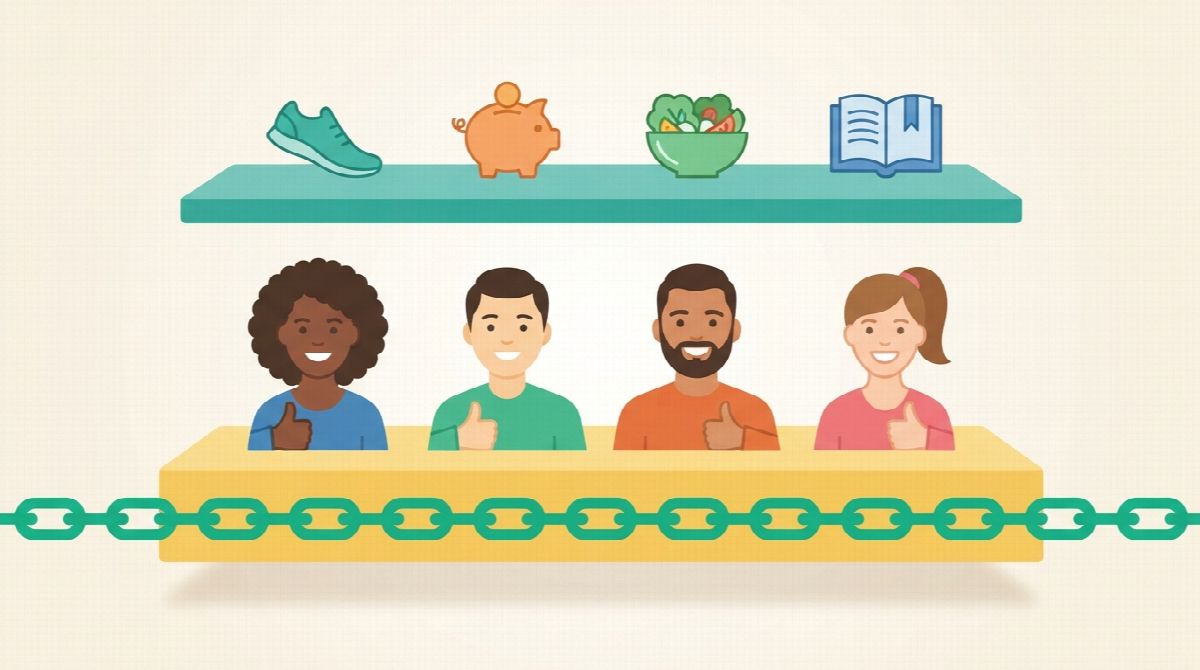
The specialist layer is where the good apps already are, and the sections below name them. The checkin layer is smaller and simpler: a daily yes that takes ten seconds, a smallest-acceptable version of the habit for bad days, and ideally a person who sees the yes. Skip that layer and the specialist app becomes the thing you feel guilty about by Valentine's Day.
Best apps to exercise more
The best app to exercise more is the one built for the exercise you will actually do, which for most people means a strength log, a running tracker, or a free beginner library.
Strong is a workout log for the gym. You enter the exercises you did and it graphs weight, sets, and reps over time, which is the feedback a "get stronger" resolution needs. Lifehacker reports the free version saves unlimited workouts but caps you at three custom routines, with the paid version at $4.99 a month or $29.99 a year. Trade-off: it measures the workout, not whether you showed up, so a missed week is just a gap in the chart.
Strava is the running and cycling tracker with a social feed. It is free for the basics, and CNET's roundup puts the subscription with route planning and goal setting at $12 a month or $80 a year. Strava is also the company that coined Quitter's Day from its own data, which tells you something about how many January runners it watches disappear. Trade-off: the social feed shows distance and pace, which is motivating for runners and discouraging for people whose resolution is a 20-minute walk.
Nike Training Club is CNET's pick for beginners because it is free with no subscription and no equipment, with video-led sessions from bodyweight to yoga. Trade-off: it gives you workouts, not a habit structure. You still need somewhere to record the days you did one.
For the friend-group version of a fitness resolution, our guide to running a new year workout challenge with friends covers formats and rules.
Best apps to eat healthier or lose weight
The best apps for a food resolution are the ones that make logging easy enough that you keep doing it, because the logging habit is the resolution. This is also the category where shame does the most damage, so pick an app that treats a bad day as a data point.
Lifesum is Lifehacker's 2026 pick over MyFitnessPal, mainly because nutrient tracking is included in the regular subscription and the interface is less punishing. Lifehacker lists it at $7.49 a month, $29.99 a quarter, or $99.99 a year, and singles out the photo and description logging that skips manual entry. Trade-off: there is no meaningful free tier for the features that make it worth using.
MyFitnessPal remains the largest food database and the default for calorie tracking. Trade-off: the free tier has narrowed over the years, and the app is very good at showing you a red number on a day you would rather forget.
Whichever you pick, set the daily action as something you can complete on a bad day, such as "log every meal" rather than "stay under the target." The resolution is the logging habit. The number follows.
Best apps to save more money
The best money apps for a resolution are the ones that connect to your accounts and show you the leak, because "save more" fails when it stays a feeling instead of a number.
Rocket Money is CNET's top budgeting pick, with bill alerts, monthly spending reports, and a premium tier that CNET lists at $6 to $12 a month on a pay-what-you-choose scale, unlocking bill negotiation and subscription cancellation. Trade-off: the useful automation sits behind the premium tier.
PocketGuard is CNET's free-tier recommendation, especially for debt payoff plans. It flags recurring charges you may have forgotten and builds a budget from your actual spending, with paid plans at around $13 a month for debt tools and multiple savings goals. Trade-off: the free plan is enough to see the problem and thin for fixing it.
Neither app can record the daily action, which for a savings resolution is usually one small transfer. Divide the yearly target by the number of paydays, and that number is what goes into the checkin layer.
Best apps to read more, learn a language, or get calmer
The best apps for the quieter resolutions are the free ones you already know, because the hard part of reading more or learning a language is not the tool.
Goodreads for reading more. Its yearly reading challenge is free: set a number of books, mark them read, and it tracks progress. Trade-off: it counts finished books, so a slow month looks like nothing happened. Pair it with a daily page count. How many pages a day you should read covers how to size that.
Duolingo for a language. The free tier is generous and the streak is the most famous in the app world, with the paid tier at about $13 a month per CNET. Trade-off: the streak is also the thing that makes people quit after one missed day. Decide in advance that a broken streak is not the end of the resolution.
Calm for stress and sleep, with hundreds of guided sessions and a subscription CNET lists at $70 a year after a trial. Day One for journaling, with a free tier, prompts, and templates, which How-To Geek's January 2026 list also picks for its New Year prompt packs. Trade-off for both: the content is excellent and the habit structure is thin. Ten minutes of Calm on a good week does nothing for the week you skip it.
The checkin layer: the app that keeps you going
The checkin layer is a habit tracker, and the choice comes down to whether you want to do it alone or with people. Both work. They fail differently.
Streaks on iPhone and Habitica on both platforms are the well-known solo options. Streaks is a clean six-habit tracker built around not breaking the chain. Habitica turns habits into a role-playing game with a character who takes damage when you skip. Trade-off shared by both: the streak or the character is the only motivator, and when the first miss lands in mid-January there is nobody on the other side of it. If Habitica is on your shortlist, our Habitica alternatives guide matches replacements to the reason people leave it.
Habit Huddle is our app, so judge the reasoning rather than the ranking. Every habit you track is a huddle, solo or with friends. You set the resolution as one daily habit, give it a Floor for bad days and a Ceiling for good ones, and post one checkin a day. Friends you invite see and cheer the days you show up, and your missed days are never shown to anyone. The huddle's Checkin Chain adds one link for every member who checks in that day, which turns a private intention into a small daily event.
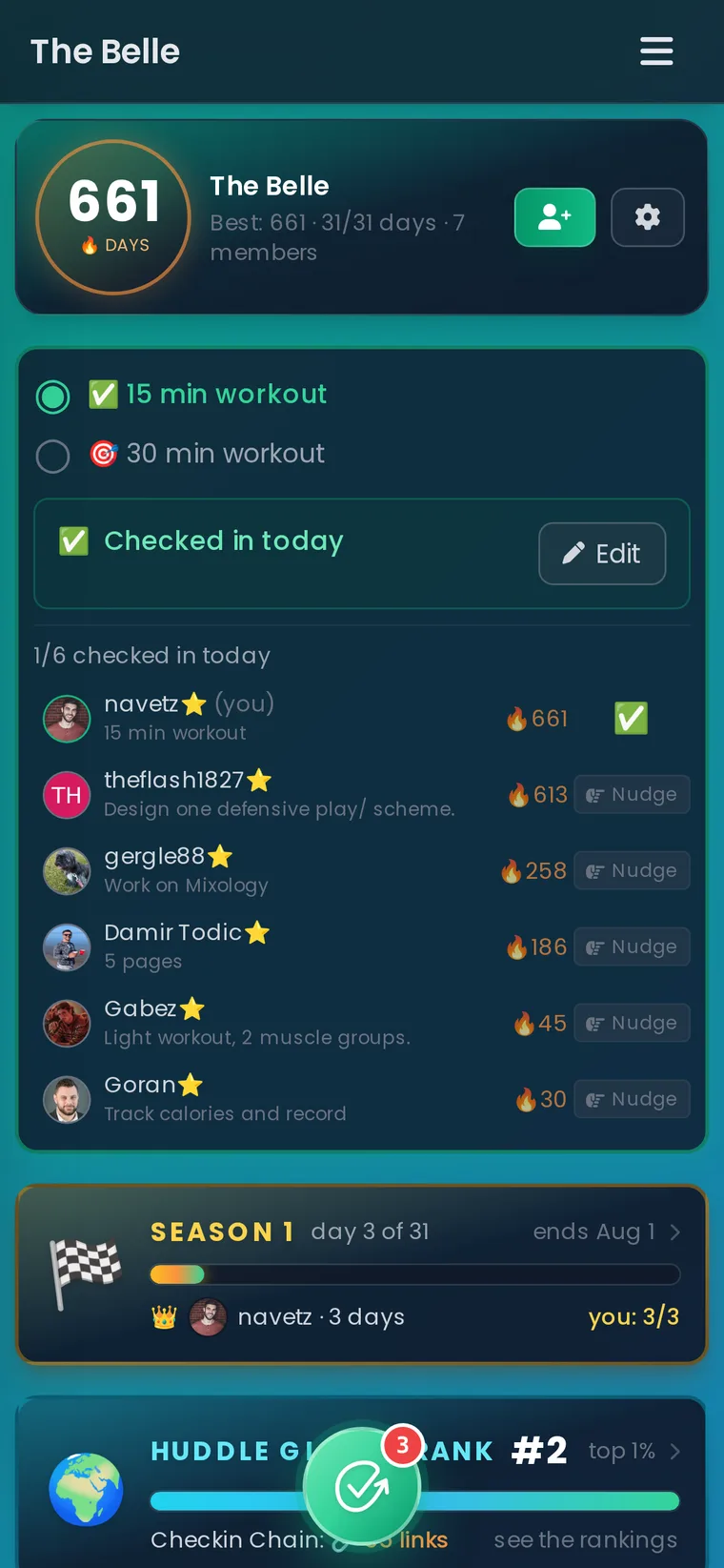
Honest trade-offs: the free plan covers one tracking habit you start yourself, which fits a resolution but not a five-habit overhaul. Checkins are manual, so nothing syncs from Strava or your bank. And the cheering comes from the people you bring, so it is only as good as the friend or two you invite. If that fits, start your resolution habit before January 1 and invite someone when you are ready. For the free-tier details compared with other apps, see free habit trackers with friends.
You already know you can change.
You just need to take the first step. Habit Huddle helps you build habits around your goals, alongside friends who keep you accountable.
Every pick in one table
| Resolution | Specialist app | Free tier | What it measures | Reported price if you upgrade |
|---|---|---|---|---|
| Get stronger | Strong | Unlimited workouts, 3 custom routines | Weight, sets, reps over time | $4.99/month or $29.99/year |
| Run or cycle more | Strava | Yes, basics and feed | Distance, pace, routes | $12/month or $80/year |
| Start exercising | Nike Training Club | Fully free | Sessions completed | None |
| Eat healthier | Lifesum | Minimal | Meals, calories, nutrients | $7.49/month or $99.99/year |
| Save money | Rocket Money or PocketGuard | Yes, limited automation | Spending, bills, subscriptions | $6 to $13/month |
| Read more | Goodreads | Fully free | Books finished | None |
| Learn a language | Duolingo | Yes, generous | Lessons and streak | About $13/month |
| Stress less | Calm or Day One | Day One yes, Calm trial only | Sessions or journal entries | Calm $70/year |
| Any resolution, daily action, solo | Streaks or Habitica | Habitica yes, Streaks paid | Daily yes and streak | One-time or small subscription |
| Any resolution, daily action, with friends | Habit Huddle | One tracking habit | Daily checkin, Floor and Ceiling, Checkin Chain | Paid plans for more habits |
Prices are the figures the apps and the roundups linked above published as of September 2026 and change often, especially in January when nearly every one of these apps runs a promotion. Check the listing on the day.
Set it all up before January 1
The apps that survive January are the ones installed and configured before the year starts, because December 31 at 11pm is not when anyone connects a bank account or learns a workout log.

The setup, sized to fit one evening in the last week of December:
- Pick the one resolution. Use the picker above if you are torn. One habit, phrased as an action you can do on a Tuesday, not an outcome. A 2020 study of more than 1,000 resolvers found that goals phrased as something to start doing succeeded more often than goals phrased as something to stop: 58.9 percent against 47.1 percent at one year.
- Install the specialist app and do one fake entry. Log a workout, a meal, or a transfer today so the first real one on January 1 is the second time, not the first.
- Set the daily action with a Floor. The smallest version that still counts on the worst day. Ten minutes of movement. Two pages. One dollar moved. Write it down where the checkin happens.
- Decide the miss rule now. One miss is a data point. Never miss twice. A bad week gets a Floor week on purpose. Deciding this in December means the first miss in January does not get to decide for you.
- Tell one person and put them in the checkin layer. Not a social media announcement. One friend who will get a ten-second checkin from you every day.
- Put two dates on the calendar. A February 1 checkpoint to resize the Floor, and a March 1 review, which is roughly the 66-day mark where the University College London habit study found most behaviors becoming automatic.
If you want the whole January-to-March plan, how to keep resolutions past January is the long version, and the best habit tracker apps page covers the tracker category on its own.
FAQ
What is the best app for New Year resolutions?
There is no single best app because resolutions differ. Use a specialist app that measures your goal, such as Strong for strength, Strava for running, Lifesum for food, Rocket Money for money, Goodreads for reading, or Duolingo for a language, plus a daily habit tracker that records the days you showed up. The tracker is the one most people skip and the one that decides whether the resolution reaches February.
Are there free apps for New Year resolutions?
Yes. Nike Training Club, Goodreads, Duolingo's free tier, PocketGuard's free plan, Day One's free tier, and Habit Huddle's free plan for one tracking habit all cover a resolution without paying. Most paid upgrades add automation or extra habits rather than anything the resolution itself needs.
Should I use one app for all my resolutions?
Better to pick one resolution first. The apps that let you list a dozen resolutions on one screen feel great on December 31 and are the ones most often abandoned by February. One daily action, one specialist app to measure it, and one place to record the daily yes is the setup that lasts.
How do I keep using the app past January?
Give the habit a Floor small enough to complete on your worst day, decide in advance that one miss is not the end, and put a person on the other side of your daily checkin. Research on resolvers found social support mattered most after the first weeks, exactly when motivation faded.
Ready to Build Habits With Friends?
Stop failing alone. Join thousands using the #1 habit tracker with friends for real accountability and lasting results.
Prefer mobile? App Store · Google Play
Related Guides
More Habit Huddle articles on building habits with accountability.

Is Sweatmates Free? 6 Free Sweatmates Alternatives (2026)
Sweatmates is free to download, but logging a workout needs a subscription. What it costs, what it does well, and six free alternatives for couples and friends.

HabitShare Alternatives: 6 Apps for Tracking Habits With Friends (2026)
Looking for a HabitShare alternative? Six social habit trackers compared by model, price, platforms, and what happens on a missed day, plus how to switch wit...
What to Do When You Miss a Workout Day: The 5-Step Comeback Plan
Missed a workout day? What one miss does to your body and habit, according to research, plus a five-step plan for the next 24 hours, when to make it up, and...